Install the Chrome Extension
About three minutes, five steps. No Chrome Web Store required.
Why the extension. It works right on the Google results you're already looking at — scoring the map pack and organic listings in place, with location spoofing and one-click referring-domain lookups. Because it reads the page you're on, its searches don't spend credits.
Checking for the latest release…
Watch it done
The five steps
Unzip it somewhere permanent
Chrome can't load a zip, so extract it into a folder you'll keep. Chrome runs the extension from that folder — deleting it uninstalls NFP.
On Windows
- Open your Downloads folder.
- Right-click the zip and choose
Extract All…
- Don't double-click it — that only opens the zip.
- No Extract All? Click Show more options first.
- Click Extract.
- Use the new folder — type File folder, no zipper icon.
On a Mac
- Open your Downloads folder.
- Double-click the zip.
- Use the new folder that appears beside it.
manifest.json is right inside the folder. That's the folder for
step 4.
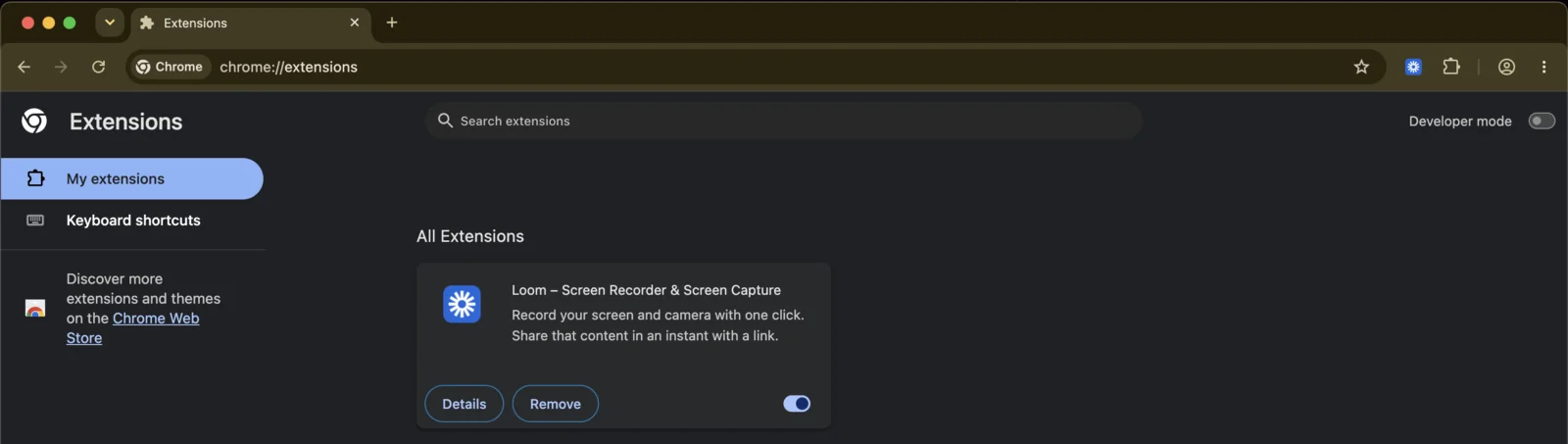
Remove the old Web Store copy first
Only if you had it installed before July 2026. The self-hosted build carries the same extension ID as the Web Store one, so Chrome refuses to load them side by side. Remove the old card and the new install goes through cleanly — your account, credits and saved research all live server-side and are untouched.
chrome://extensions, click Remove on the
old card before loading the new build.
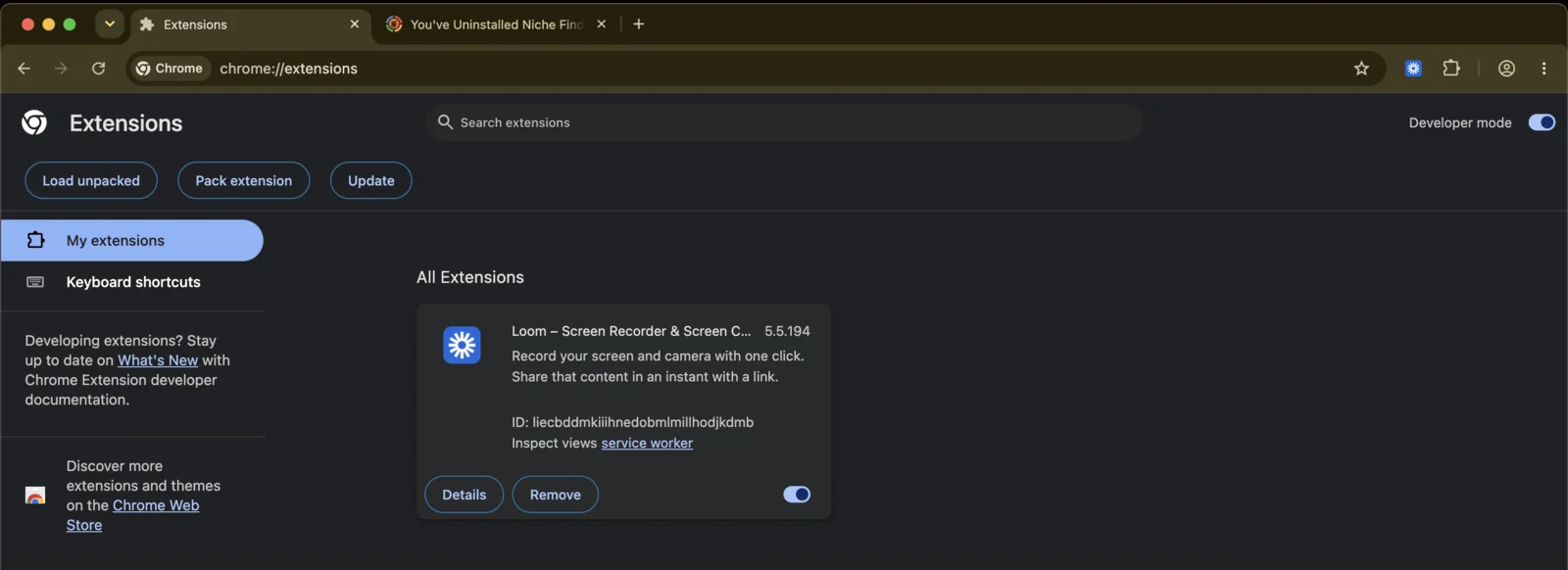
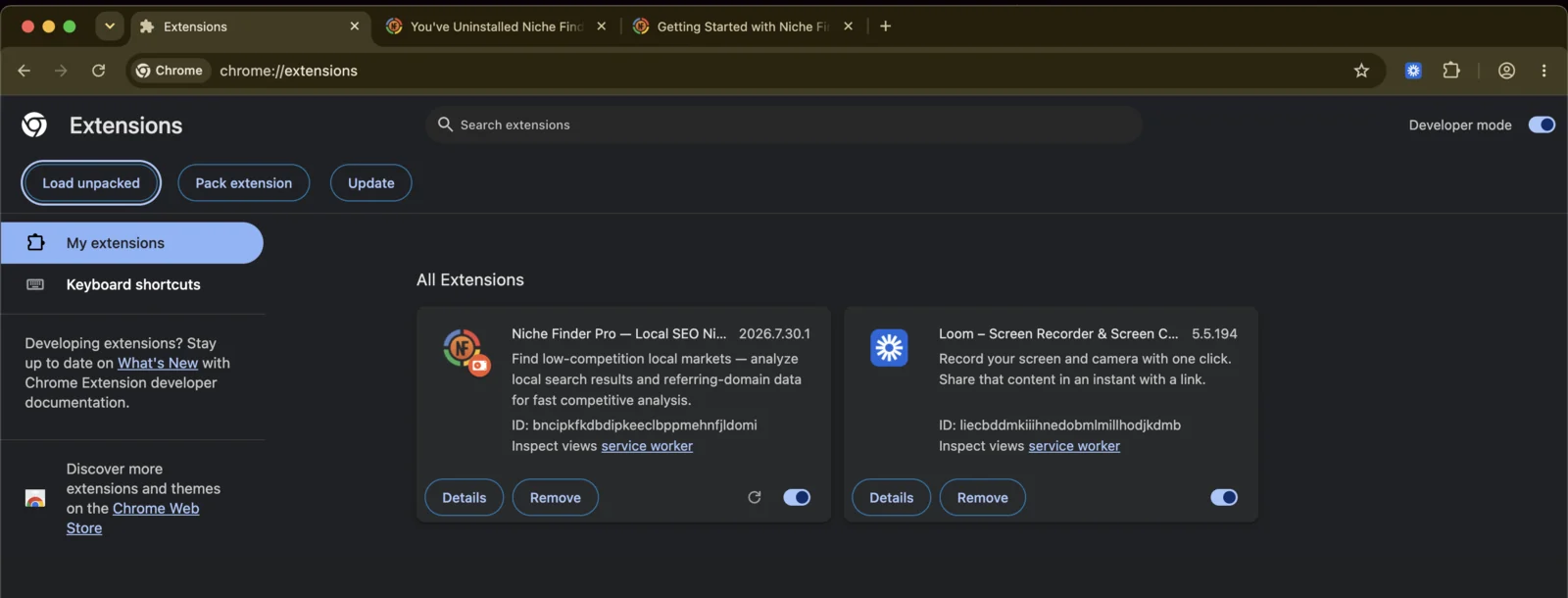
Open chrome://extensions and turn on Developer mode
Chrome blocks pages from linking to chrome:// addresses, so this one you have
to paste in yourself:
chrome://extensions Then flip Developer mode on, top right. This is the switch that lets Chrome run an extension from a folder instead of the Web Store.
Click "Load unpacked" and pick the folder
Turning on Developer mode reveals a new button row. Click
Load unpacked, then select the folder from step 1 — the
one with manifest.json directly inside it, not the zip and not the folder above
it.
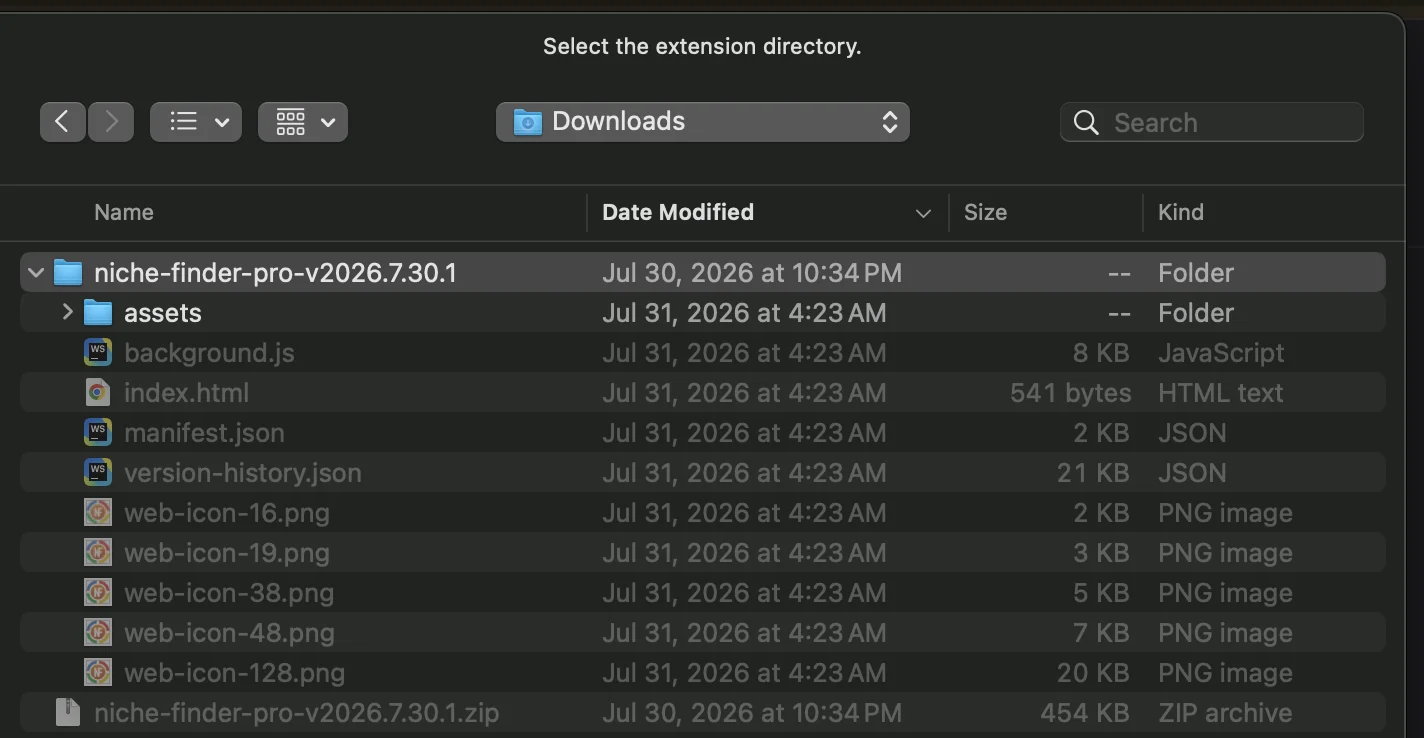
manifest.json — not the .zip below it. The Windows picker looks
different but works the same: open the extracted folder, then click
Select Folder.
Confirm it loaded, then pin it
A Niche Finder Pro card should appear, toggled on. Check the ID matches
bncipkfkdbdipkeeclbppmehnfjldomi — that's how your existing account and saved
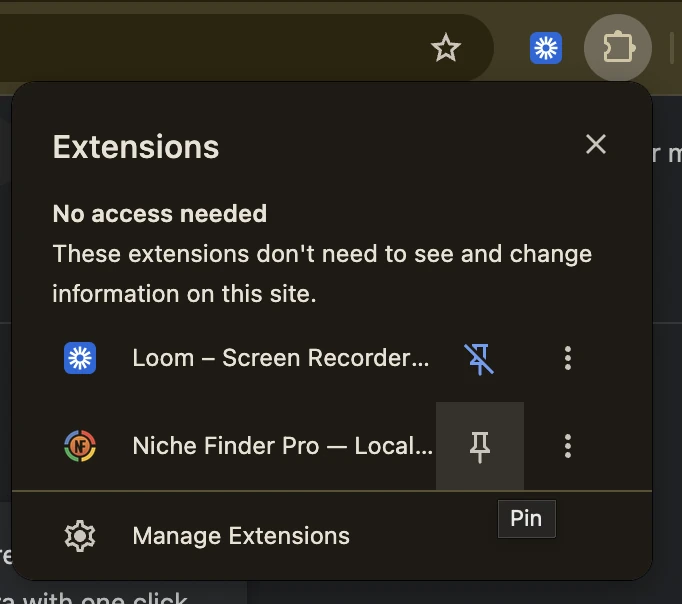
data stay attached. Then open the puzzle-piece menu in your Chrome toolbar and pin NFP so
it's one click away on any Google search.
Chrome shows a "Disable developer mode extensions" warning each time it starts. That's expected for any self-hosted extension and safe to dismiss — clicking Cancel keeps NFP running.
Updating later
Sideloaded extensions never auto-update, but your extension folder carries an updater that does the work for you. Both the extension and the app tell you when a new version is waiting.
-
Open your extension folder and double-click
update.commandon a Mac, orupdate.baton Windows. It downloads the new version and installs it for you. - Open the Niche Finder Pro extension in Chrome — the toolbar icon, not the web app — and click Finish update. If you don't see that button, quit Chrome completely and reopen it.
The updater replaces the folder's contents without moving the folder, so Chrome keeps the same extension ID — you stay signed in, and your favorites and bookmarks are untouched. It backs up your current version first and puts it back if anything goes wrong.
On a Mac, the first run needs a right-click. macOS blocks
downloaded scripts on a plain double-click, so right-click
update.command, choose Open, then confirm.
You only do this once — after that the updater clears the flag itself and a double-click
works.
On Linux, run it from a terminal. There's no
double-click path — use bash update.command from inside the extension folder.
Everything after that is the same.
No update.command or update.bat in your folder?
Copies downloaded before the updater shipped don't carry one. Update by hand this once and the version you land on will have it:
- Download the new zip from this page.
- Replace the contents of your existing folder with the new files — keep the same folder path.
-
Click the reload icon (⟳) on the Niche Finder Pro card at
chrome://extensions.
If something goes wrong
"Manifest file is missing or unreadable"
manifest.json sitting
right there, go one level deeper and try again. On Windows, the usual cause is a zip that was
opened but never extracted — see the next question.
I double-clicked the zip on Windows and it opened like a folder
I have two things with the same name on Windows — which is which?
.zip ending,
so their names match. The zip's icon has a zipper on it, and in the Details view its type
reads Compressed (zipped) Folder. Use the other one —
type File folder. To see file endings from now on, open
the View menu in File Explorer and turn on
File name extensions (under
Show on Windows 11).
Chrome nags about developer mode every time it starts
The extension disappeared
Chrome says it's already installed
"Blocked by your administrator" or the Load unpacked button is missing
I'm not on Chrome
edge://extensions). Safari and Firefox can't load Chrome extensions at all —
on those, use app.niche-finder.pro.
Installed? The getting-started guide covers what to actually do with it.
Read the getting-started guideStill stuck? Contact support or ask in the NFP Discord.